
Farnoosh

Protected case study

For recruiters — password available on request

Back to portfolio
UX Design · CohrEX · 2025

Candidate Assessment Platform

Designing for Trust in High-Stakes Moments

Role
Solo Designer — end to end
Team
1 PM, 1 Developer
Duration
Jun – Sep 2025
Tools
Figma, AI transcription

This project was not about making tests feel fun or easy. It was about removing everything that should not influence the result.

In high-stakes assessments, confusion is not a minor usability issue. It directly affects fairness, trust, and performance. When candidates are uncertain about what is happening or what comes next, that uncertainty can change how they perform — which undermines the validity of the whole process.
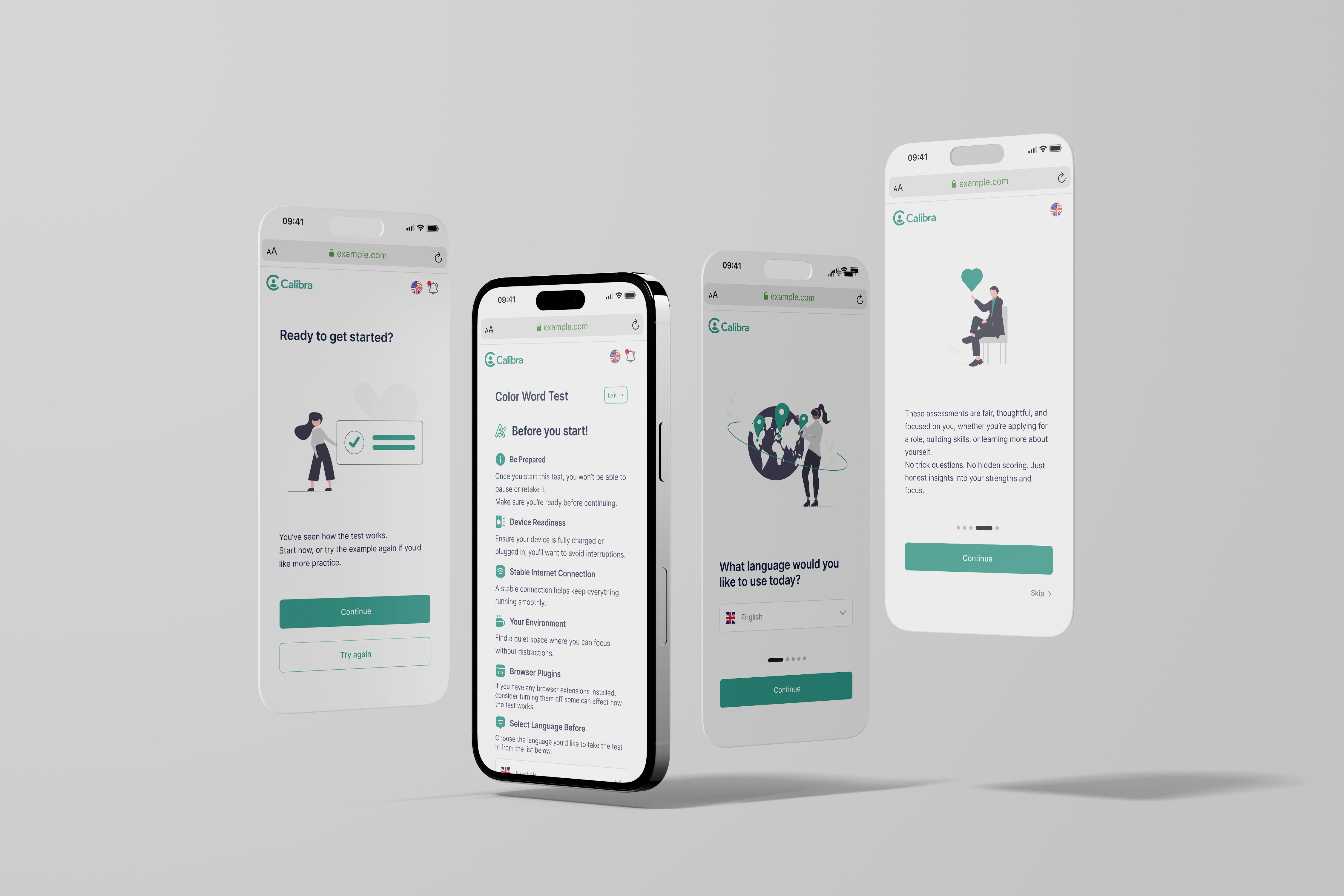
CohrEX platform overview

CohrEX is a SaaS platform used by HR teams and recruiters to assess candidates through personality, cognitive, and executive function tests. Candidates complete the assessments independently, often without knowing much about the process beforehand.

When I joined, the platform functioned technically but the candidate experience felt opaque and stressful. Candidates often did not understand why they were taking tests, how long things would take, or what would happen after completion.

Candidates entered the platform with uncertainty and little emotional support.

What wasn't working:

Instructions were easy to skim past or misunderstand
The purpose of tests felt unclear
Progress and rules were not visible enough
The experience felt like a black box
Uncertainty increased test anxiety

In an assessment context, this matters. Stress and confusion can influence outcomes, which undermines both trust and validity.
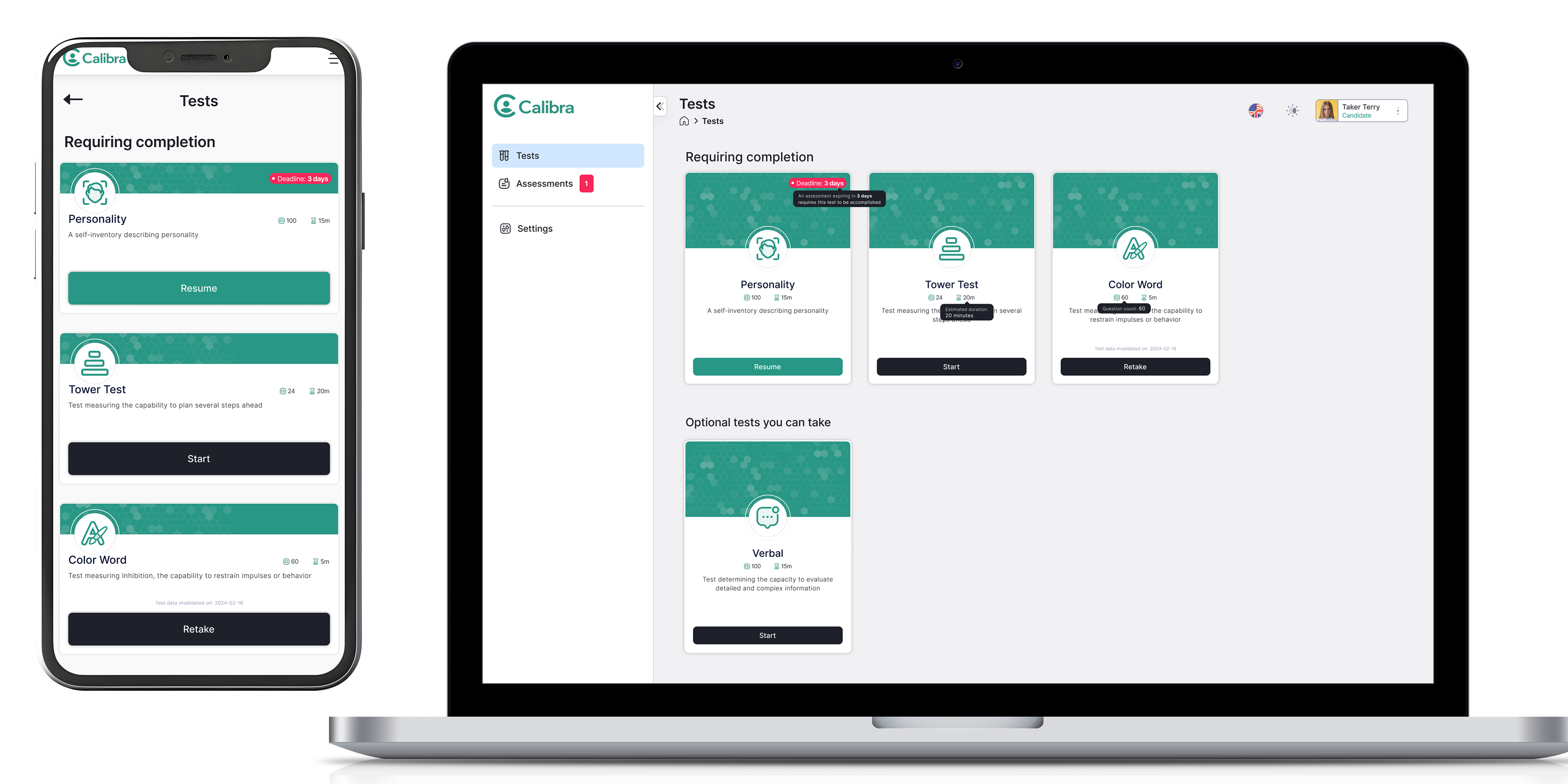

Original CohrEX platform before redesign
The original platform before the redesign. No clear guidance, dense layout, and candidates had little context for what was happening or what came next.
Gap analysis: where candidates were left without guidance
Three critical moments where candidates were left without guidance: entering a test, between phases, and after completion.

This platform is used in recruitment and professional evaluation. Candidates are often already under pressure before they arrive. The design needed to:

Support focus without distracting
Explain enough without overwhelming
Be transparent without compromising assessment integrity

Failure here wouldn't just hurt usability. It would hurt perceived fairness.

Mapping the experience end to end revealed where candidates were left without guidance.

I mapped the full experience from first login to results. This revealed critical gaps — particularly before starting a test, between test phases, and after completing all tests. These moments became the priority areas for the redesign.

Full user flow diagram
Full user flow: Login → Onboarding → Home → Pre-Test → Test → Post-Test Dashboard → Feedback. The repeating test cycle was the main area of redesign focus.

I restructured the platform around a simple question: what does the candidate need to know right now?

Home — focused on status and next steps
Assessments — providing context and progress
Tests — designed as focused, linear experiences
Notifications — split into blocking and non-blocking
Settings — kept intentionally minimal

The goal was predictability. Candidates should never have to guess what comes next.
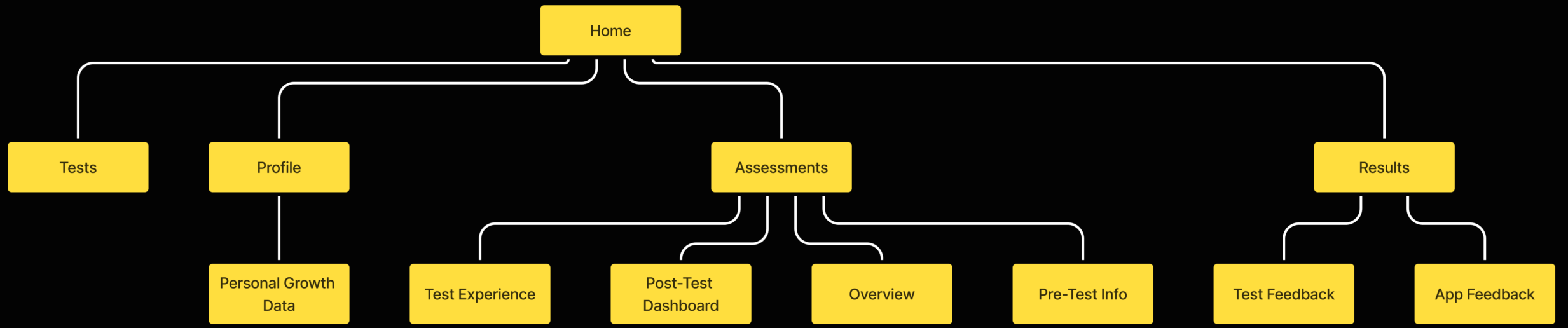
Information architecture diagram
Information architecture showing the five core areas of the redesigned platform and how they relate to each other.

Onboarding was redesigned to clearly explain what CohrEX is and why it's used, what the candidate gains from the process, and time estimates and expectations. Before each test, pre-test screens clarified rules and resumability, device and environment requirements, and what type of tasks to expect.
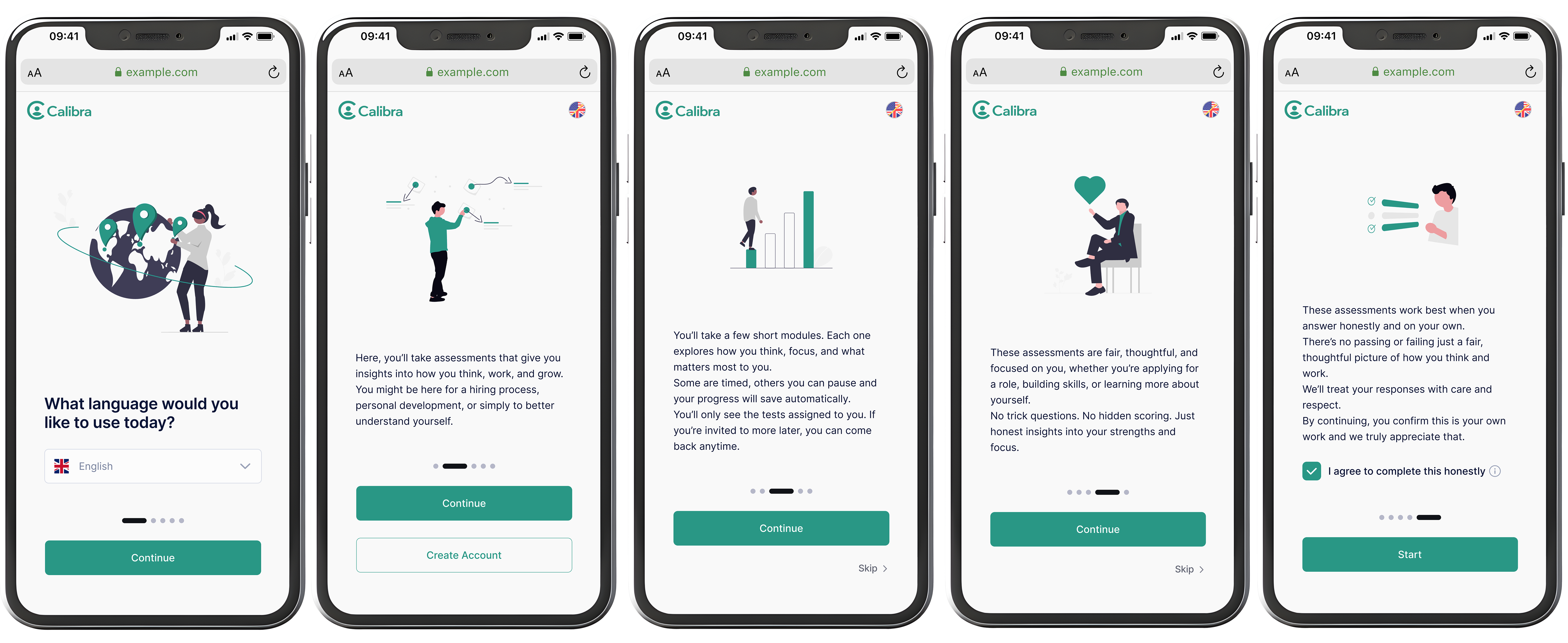
Redesigned onboarding screens
Redesigned onboarding screens — language selection, purpose explanation, what to expect, and why assessments are fair.

Tests varied widely in format and mechanics, but the experience needed to feel consistent. Each test follows the same four-step structure regardless of content type.

Test flow: Explain, Practice, Test, Confirm
Every test follows the same four-step structure: Explain → Practice → Test → Confirm. Consistency reduces anxiety across different test types.

Key design principles for the test UI:

Clear instructions per test and per phase
Trial questions where applicable
Visible progress indicators and timers
Minimal UI distractions
Consistent interaction patterns

The aim was not to make tests easier, but to make them fairer by removing interface-related friction.
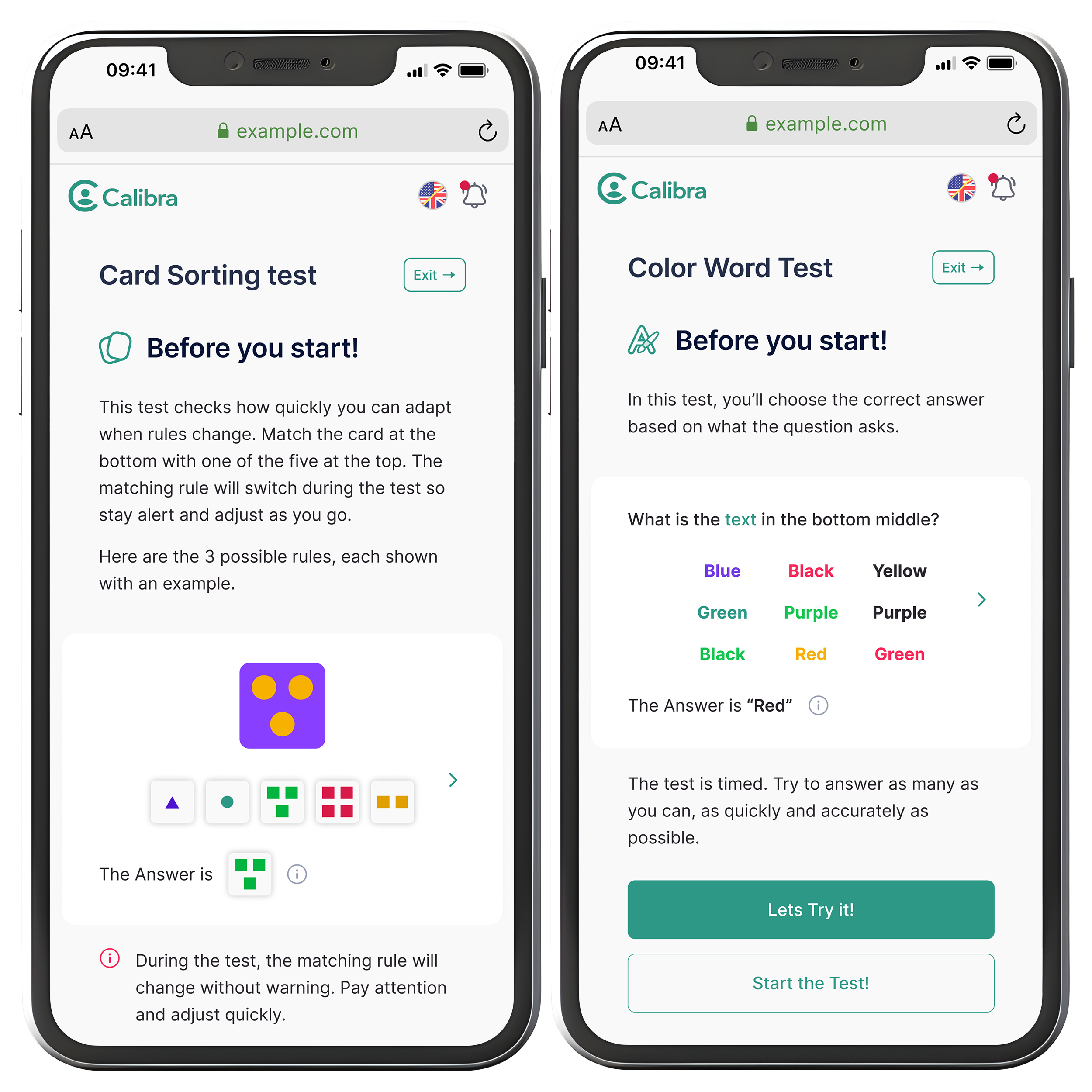
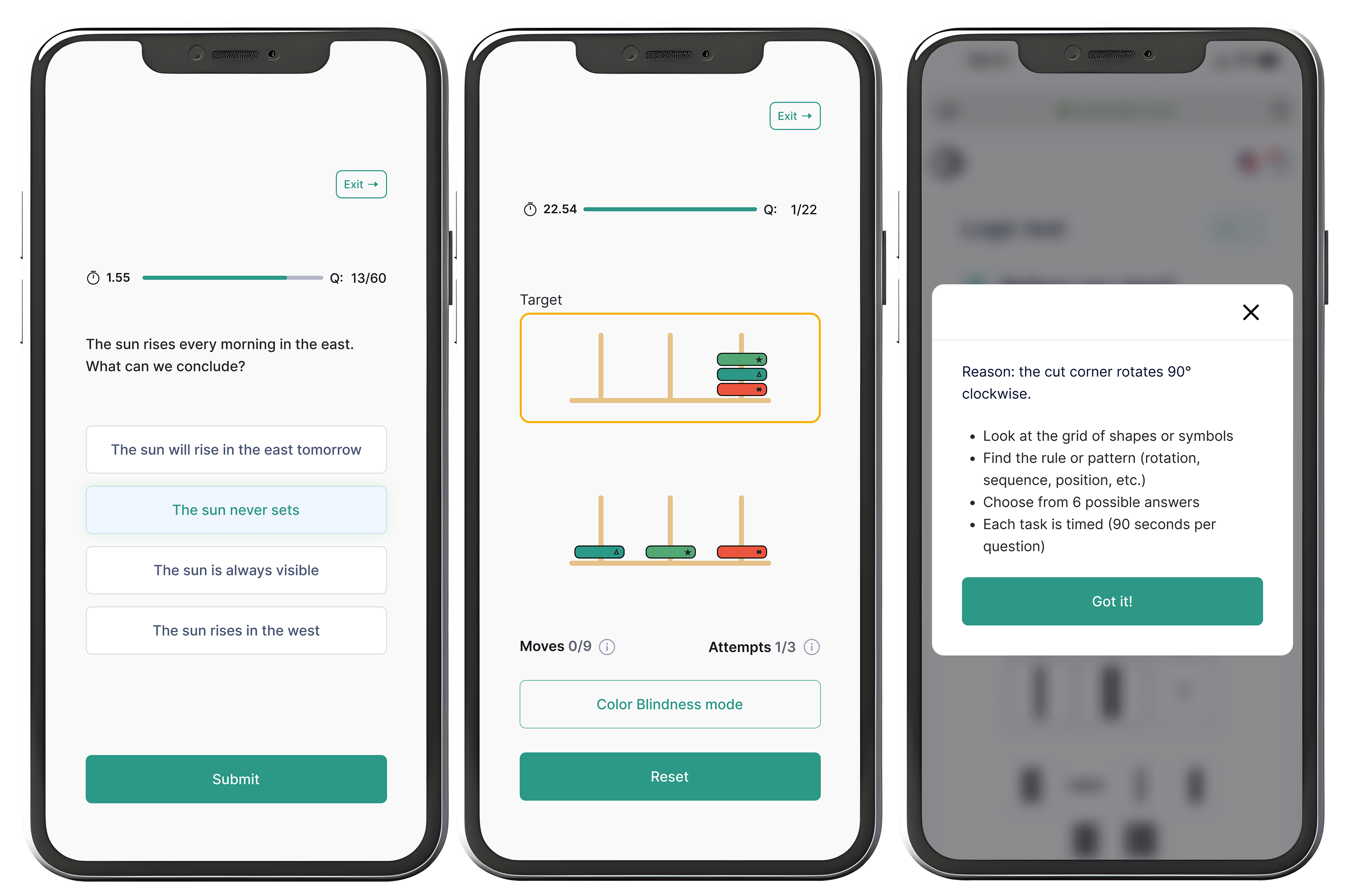
Test experience screens
Test screens across different assessment types. Timer, question count, and progress bar are consistent throughout. Each test type has its own interaction pattern but the same structural frame.

Results were designed to support reflection rather than evaluation:

Strengths and development areas
Visual explanations of scores and percentiles
Context around norms and interpretation
Neutral, human language

Candidates should leave with understanding, not uncertainty.
Results screens
Results screens — completed tests listed, then a breakdown by trait using neutral language and a sliding scale to avoid judgment.
Completion and feedback screens
Completion and feedback screens — candidates see next steps, growth areas, and strengths. The tone is encouraging without overpromising.

Key design decisions

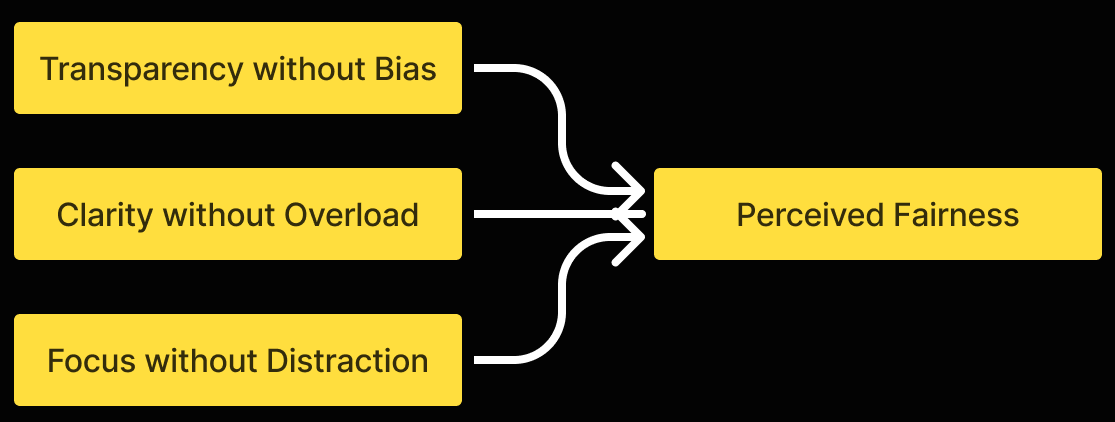
Core design principles
Three principles converging on perceived fairness: Transparency without Bias, Clarity without Overload, Focus without Distraction.
Linear flow over flexibility
Predictability over exploration to reduce cognitive load and test anxiety.
Transparency without full disclosure
Rules explained clearly, without exposing scoring logic that could bias behavior.
Partial feedback
Meaningful summaries to build trust, while protecting assessment validity.
Calm clarity over delight
Neutral design prioritised to support focus and emotional safety.

The redesigned experience gives candidates a clear path through a high-pressure process. They know what is coming, why it matters, and what happens after. The interface does not compete with the task.

After handoff, the feedback was positive. The one note I received was to trust my design decisions more. That is something I carried into every project since.

Assessment UX is about reducing stress, not adding excitement.

When people are under pressure, clarity and predictability matter more than visual polish.

This project also taught me to focus on what to remove. By simplifying structure and language, an experience can feel fairer and easier to trust.

Next time I would map the full experience first, every time, before touching any UI.

Next project
Design Dashboard
For clinical trial tools to be more accessible
+46 (0) 737 528 390 farnooshdahesh@gmail.com LinkedIn